Amazon Elastic Container Registry
In comparison to the docker hub the private container of Amazon elastic container registry is the best example of a fully managed secure container registry.
How Amazon ECR works
The below image shows how to code in the image is pushed to amazon ecr and run in containers either on-premises or cloud.

For practice activity 500 mb of private repository storage per month, you can visit the amazon ecr page for more info.
Amazon Elastic Container Features
Amazon container orchestrator integration:- ECR integrated with ECS and EKS
OCI and Docker support:- ECR supports the docker registry that allows the docker cli command
Public container image and artifact gallery:- On ECR public gallery popular base images can be found easily without login to AWS.
AWS Marketplace:- it stores containers software you can purchase from the AWS marketplace
High availability and durability:- ECR stores container images in S3, and creates and stores copies of all S3 objects.
Team and public collaboration:- Helps in the team's existing workflow and sharing the container artifacts with anyone in the world with the help of a public repository.
Access control:- ECR uses IAM to control and monitor container images
Encryption:- ECR uses HTTPS and auto encryption using S3 server-side encryption.
Third-party integrations:- ECR is fully integrated, it can be integrated with Jenkins
Pull through cache repositories:- ECR pulls through cache repositories and sync container artifacts stored in publicly accessible container registries
Example of AWS ECR
Log in to the console of AWS as a user, and search Amazon Elastic Container Registry.
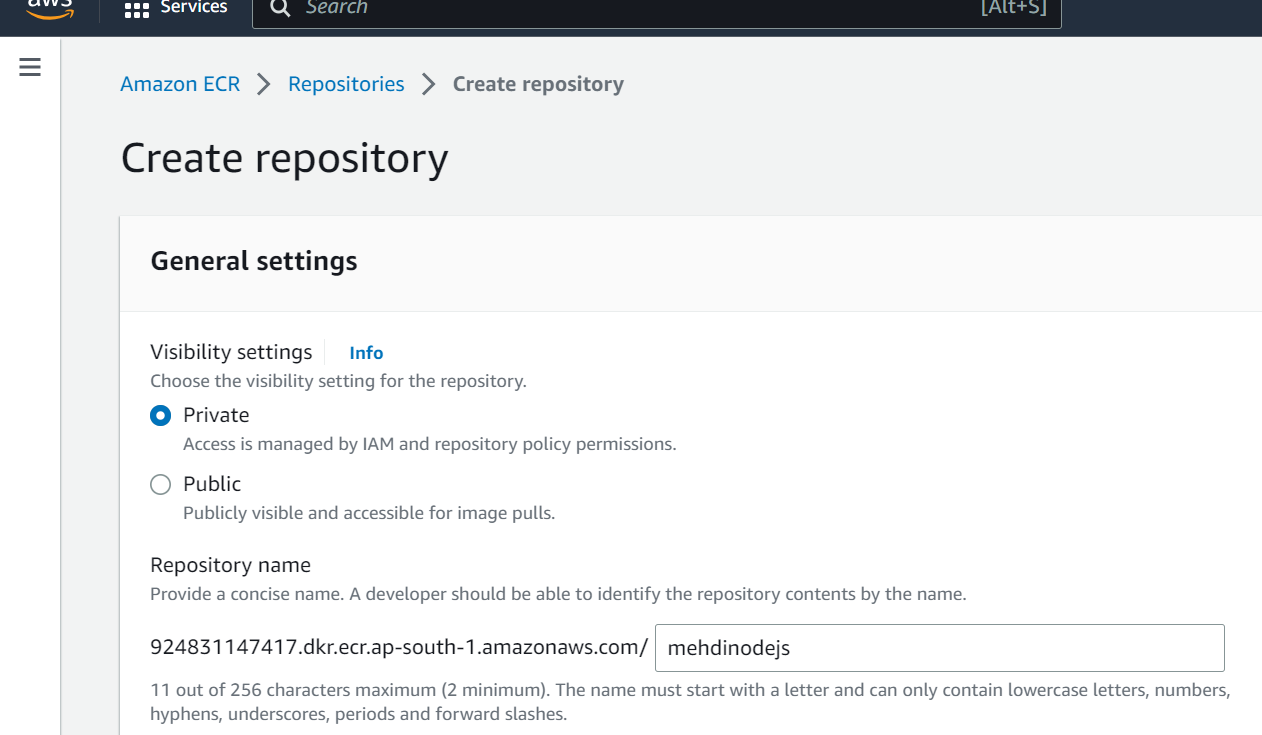
You can find multiple scroll the page like
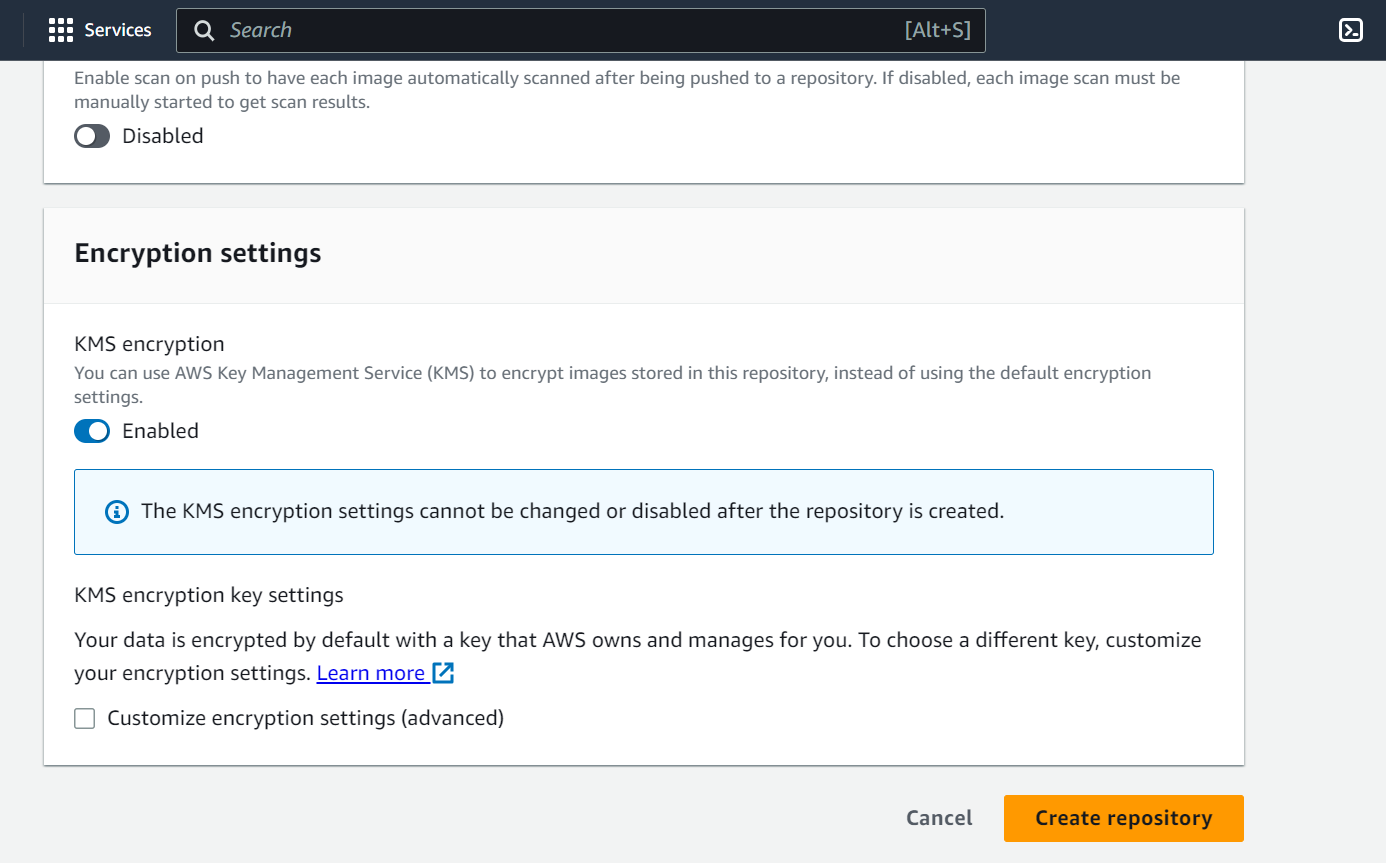
Tag immunity, Image scan setting, Encryption settings.
Finally, Create the repository.
Successfully created repository.
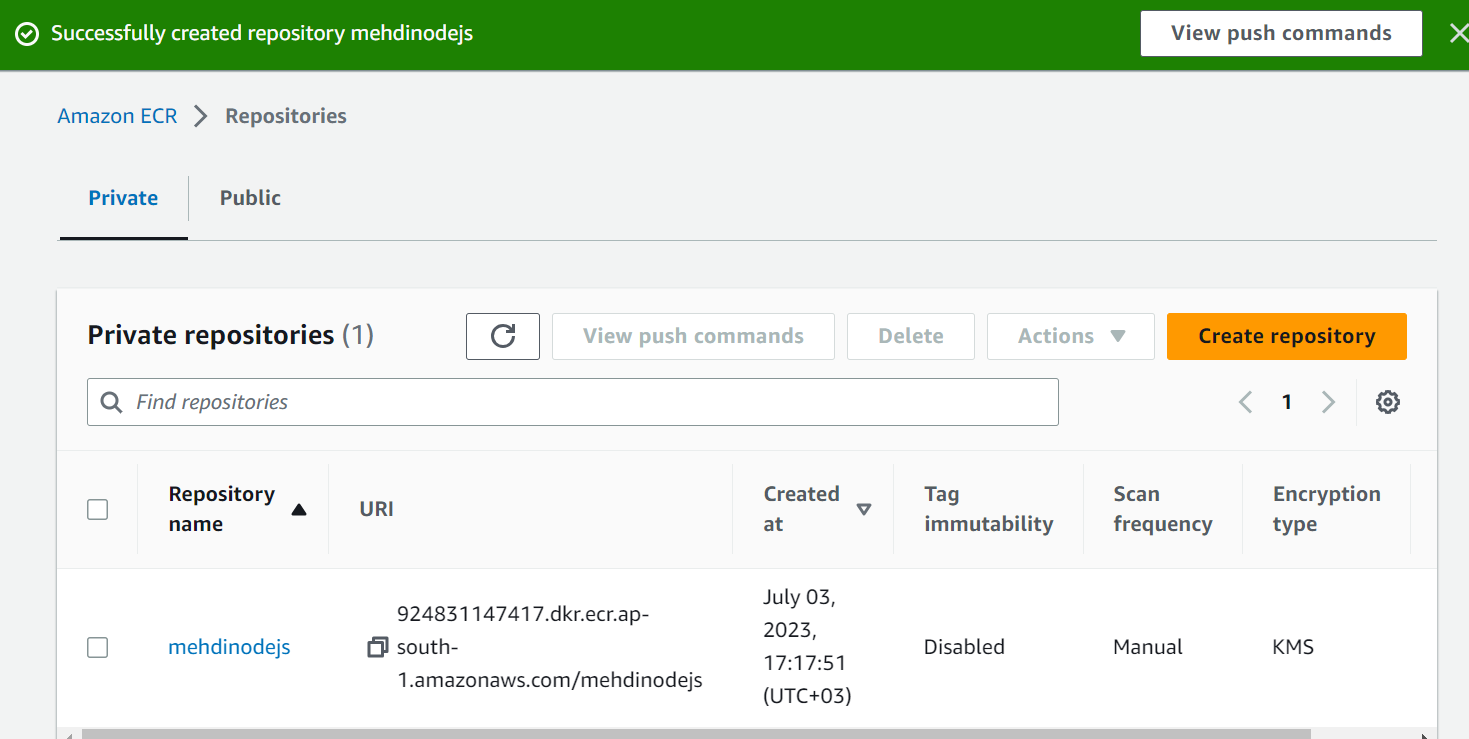
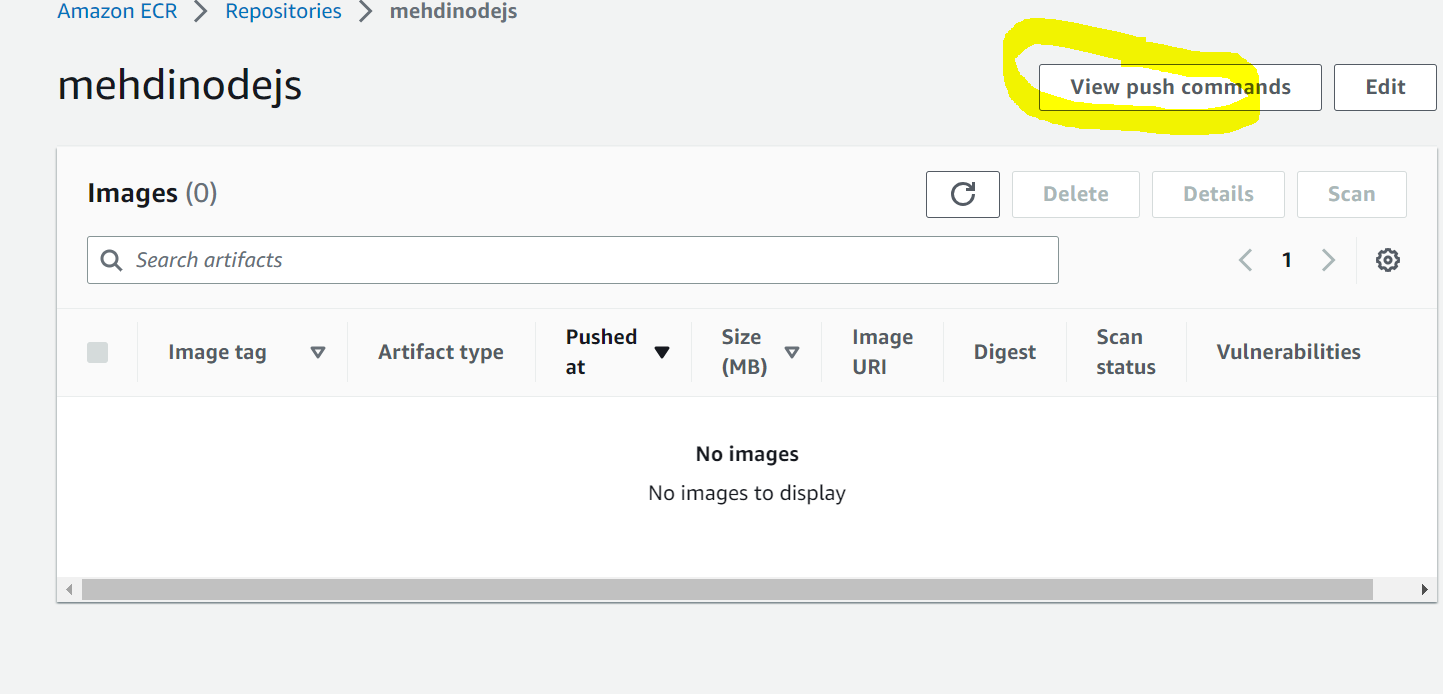
Click on the repository you created in this case it is mehdinodejs
You will nothing in the images, we need to create the images click on
view push commands
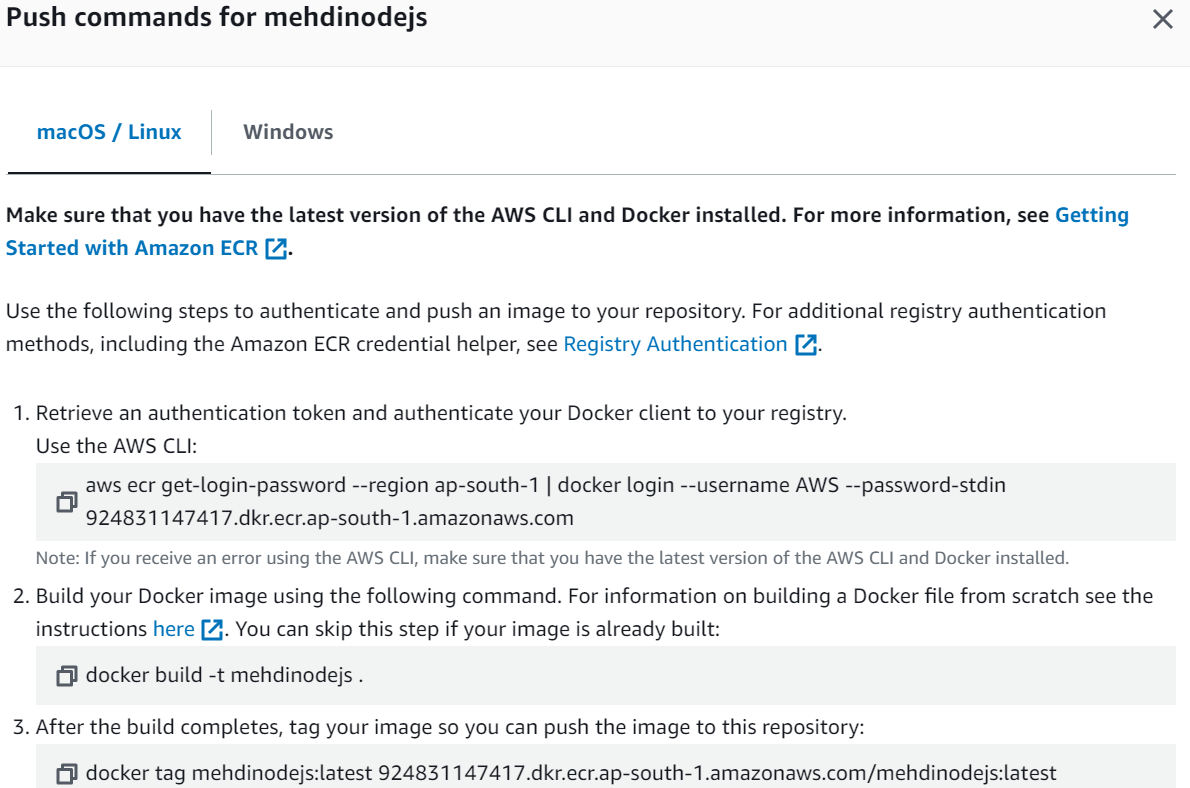
AWS ECR image push to repository
Firstly you need aws machine and log in with console and get security credentials
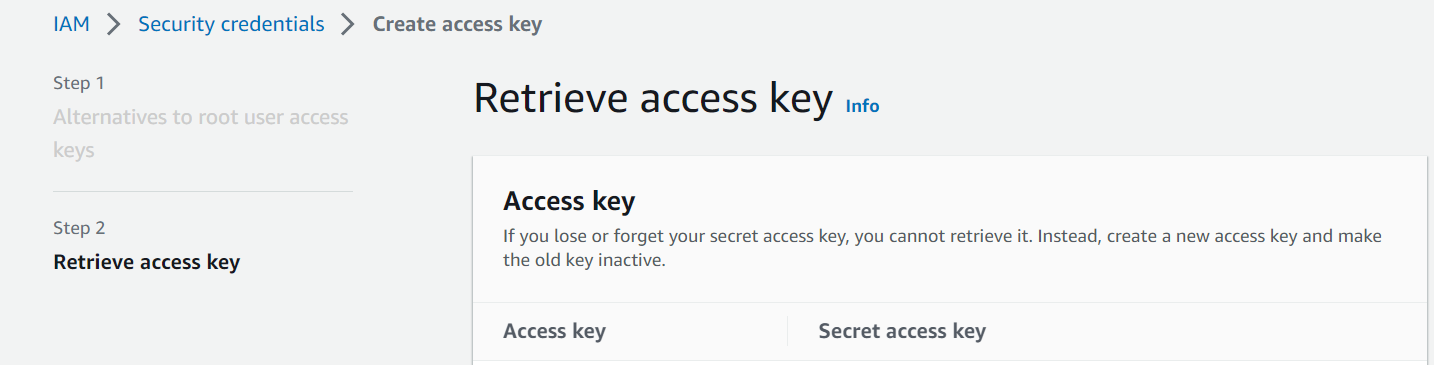
ubuntu@ip-172-31-44-226:~$ aws configure
AWS Access Key ID [****************iiii]:
AWS Secret Access Key [****************oooo]:
Default region name [mumbai]:
Default output format [json]:
ubuntu@ip-172-31-44-226:~$ aws ecr get-login-password --region
 ap-south-1 | dock                                                                             er login --username AWS --password-stdin 924831147417.dkr.ecr.ap-south-1.amazona                                                                             ws.com
WARNING! Your password will be stored unencrypted in
/home/ubuntu/.docker/config                                                                             .json.
Configure a credential helper to remove this warning. See
https://docs.docker.com/engine/reference/commandline/login/#credentials-store

Login Succeeded
ubuntu@ip-172-31-44-226:~$ git clone https://github.com/Sagar2366/amazon-ecs-dem                                                                             o-with-node-express.git
Cloning into 'amazon-ecs-demo-with-node-express'...
remote: Enumerating objects: 63, done.
remote: Counting objects: 100% (20/20), done.
remote: Compressing objects: 100% (12/12), done.
remote: Total 63 (delta 10), reused 8 (delta 8), pack-reused 43
Receiving objects: 100% (63/63), 762.12 KiB | 1.17 MiB/s, done.
Resolving deltas: 100% (23/23), done.

Get clone from git hub and then go to below directory

ubuntu@ip-172-31-44-226:~$ cd amazon-ecs-demo-with-node-express/sample-nodejs-ap                                                                             p/
ubuntu@ip-172-31-44-226:~/amazon-ecs-demo-with-node-express/sample-nodejs-app$ l                                                                             s
Dockerfile  app.js  index.html  package.json
ubuntu@ip-172-31-44-226:~/amazon-ecs-demo-with-node-express/sample-nodejs-app$ c                                                                             at Dockerfile
FROM public.ecr.aws/bitnami/node:16.18.1
RUN mkdir -p /usr/src/calc
WORKDIR /usr/src/calc
COPY . .
RUN npm install
# EXPOSE 3000
CMD [ "node", "app.js" ]
ubuntu@ip-172-31-44-226:~/amazon-ecs-demo-with-node-express/sample-nodejs-app$ d                                                                             ocker build -t mehdinodejs .
Sending build context to Docker daemon  8.192kB
Step 1/6 : FROM public.ecr.aws/bitnami/node:16.18.1
16.18.1: Pulling from bitnami/node
9b0425129f68: Pull complete
71d0cad6ee3d: Pull complete
Digest: sha256:111ce25a9f99b3847962a2399b53782cb99a884949c303642110a8f9edadd8e5
Status: Downloaded newer image for public.ecr.aws/bitnami/node:16.18.1
 ---> 6a26bef0bc23
Step 2/6 : RUN mkdir -p /usr/src/calc
 ---> Running in 3a63f5adafd7
Removing intermediate container 3a63f5adafd7
 ---> 7c322ae40f6a
Step 3/6 : WORKDIR /usr/src/calc
 ---> Running in da2840119264
Removing intermediate container da2840119264
 ---> 6bfa2717b77d
Step 4/6 : COPY . .
 ---> 363dc3b7ec99
Step 5/6 : RUN npm install
 ---> Running in a483d5e9aa78

added 58 packages, and audited 59 packages in 3s

8 packages are looking for funding
  run `npm fund` for details

found 0 vulnerabilities
npm notice
npm notice New major version of npm available! 8.19.2 -> 9.7.2
npm notice Changelog: <https://github.com/npm/cli/releases/tag/v9.7.2>
npm notice Run `npm install -g npm@9.7.2` to update!
npm notice
Removing intermediate container a483d5e9aa78
 ---> 66ac20eb9f54
Step 6/6 : CMD [ "node", "app.js" ]
 ---> Running in a1b0247550c8
Removing intermediate container a1b0247550c8
 ---> 254dd1241b61
Successfully built 254dd1241b61
Successfully tagged mehdinodejs:latest
ubuntu@ip-172-31-44-226:~/amazon-ecs-demo-with-node-express/sample-nodejs-app$ d                                                                             ocker tag mehdinodejs:latest 924831147417.dkr.ecr.ap-south-1.amazonaws.com/mehdi                                                                             nodejs:latest
ubuntu@ip-172-31-44-226:~/amazon-ecs-demo-with-node-express/sample-nodejs-app$
ubuntu@ip-172-31-44-226:~/amazon-ecs-demo-with-node-express/sample-nodejs-app$ d                                                                             ocker push 924831147417.dkr.ecr.ap-south-1.amazonaws.com/mehdinodejs:latest
The push refers to repository [924831147417.dkr.ecr.ap-south-1.amazonaws.com/meh                                                                             dinodejs]
9f1e60ff3971: Pushed
263ba60252db: Pushed
5c5433c0ebb6: Pushed
dbb6eb55e10a: Pushed
72f2450750f8: Pushed
latest: digest: sha256:6d9afe1fdc2d4c2797b03e10ad94971b3551e2481bc05f4060c372b28                                                                             66724d8 size: 1368
ubuntu@ip-172-31-44-226:~/amazon-ecs-demo-with-node-express/sample-nodejs-app$ ls
Dockerfile  app.js  index.html  package.json
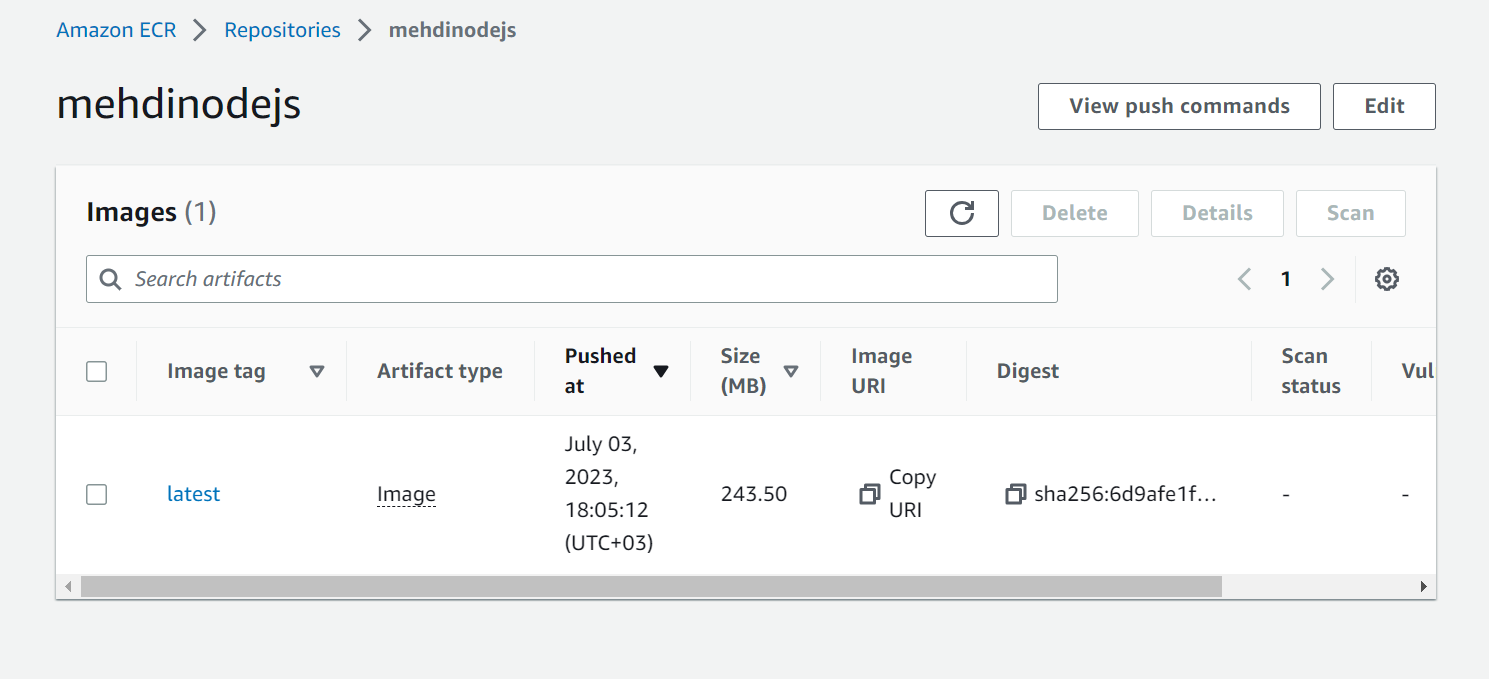
Finally, image can be found in our repository
I will continue with some more examples in the next part of this post.